

Choosing the Right Print Path with Dispatcher Stratus and ScanTrip Cloud

Different print jobs call for different release experiences, output paths, and operational controls. Some documents can be printed immediately, while others may need to be held until the user is at the MFP, especially when handling larger jobs, shared devices, or documents that require more controlled pickup.
Dispatcher Stratus and ScanTrip Cloud give organizations flexible print options, including Direct Print, Secure Print with Release2Me, and Microsoft Universal Print. Together, these options help teams choose the right print experience for each user, location, and document type.
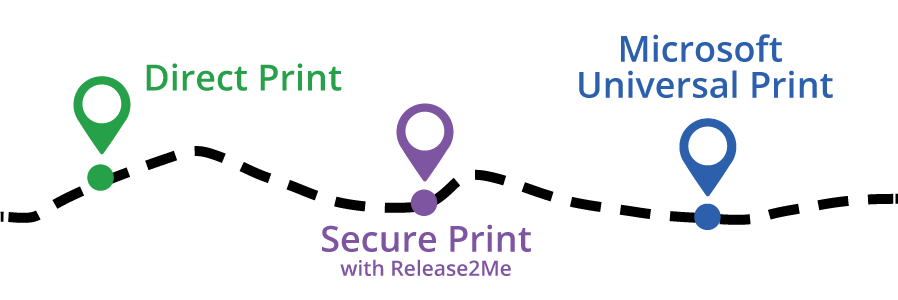
Direct Print
Direct Print is optimal when users need to print large, non-sensitive documents quickly without adding extra steps at the device. This is ideal for print jobs such as training materials, reports, packets, manuals, or other everyday documents that may take longer to process and do not require authenticated release. Users can send the job directly to a designated Konica Minolta or non-Konica Minolta printer for immediate output, helping reduce wait time and keep high-volume printing simple.
Secure Print with Release2Me
Use Secure Print with Release2Me when users need print jobs held until they authenticate at the MFP. Users can send documents to a print queue, walk up to the device, sign in using options such as PIN, card, badge, or supported login credentials, and release only the documents they need.
Release2Me can support shared print queue scenarios, but it is also useful anywhere organizations want greater control over when and where documents are printed. This is a strong fit for shared MFP environments, sensitive documents, compliance-driven processes, and organizations looking to reduce waste from forgotten or unnecessary print jobs.
Microsoft Universal Print
The Microsoft Universal Print integration is ideal for organizations that are already using Microsoft Universal Print, or planning to adopt it, and want to add card and PIN access to that cloud print experience. With Dispatcher Stratus or ScanTrip Cloud, users can print to supported Konica Minolta MFPs through a familiar Microsoft environment, with the flexibility to release jobs at the MFP or send them directly to print.
This allows organizations to extend Microsoft Universal Print to Konica Minolta devices while also gaining access to the authentication, scan, and workflow capabilities available through Dispatcher Stratus and ScanTrip Cloud. This is a strong fit for Microsoft-centered organizations, hybrid work environments, and teams that are modernizing print infrastructure.
Why It Matters
Not every user, site, or document needs the same print experience. Dispatcher Stratus and ScanTrip Cloud give organizations the flexibility to balance speed, security, and cloud management needs in one platform.
Get Started Today
Contact your account representative to learn which Dispatcher Stratus or ScanTrip Cloud print option is the best fit for your environment.
 Previous Article