

Automate Document Splitting with Dispatcher Stratus

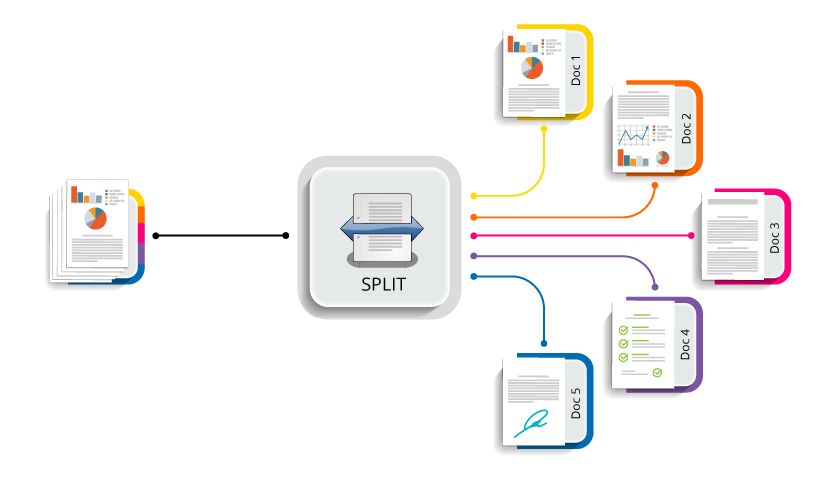
Large document packets often arrive as one file, even though they contain many separate documents that need to be processed individually. With the Dispatcher Stratus Split Node, users can scan a full stack of paperwork in one job at the MFP and let Stratus automatically separate it into individual documents.
The same applies to document packets received by fax, email, or direct upload, such as legal case files, student transcripts, invoices, patient records, or application packets. Instead of spending time manually reviewing, separating, and renaming files, teams can use the Split Node to create clean, process-ready documents that can be routed, indexed, reviewed, or stored as part of an automated workflow.
Key Benefits
Automated Document Separation
Split large PDFs or TIFF files into smaller, individual documents as part of a Stratus workflow.
Flexible Split Options
Separate documents by a fixed number of pages, file size, or metadata values collected earlier in the workflow.
Metadata-Driven Processing
Use workflow metadata, such as barcode values, OCR results, or index form data, to determine where a document should be split.
Cleaner Downstream Workflows
Once documents are separated, they can be routed, renamed, indexed, reviewed, or stored more accurately.
Reduced Manual Effort
Eliminate time-consuming manual document separation and help staff focus on higher-value work.
Use Cases
Healthcare
Separate large patient record packets, referral documents, or faxed medical files into individual records before routing them for review or storage.
Legal
Split case files, discovery packets, contracts, or court documents into organized files that can be routed to the correct matter or folder.
Finance and Accounting
Separate invoice batches, purchase orders, remittance documents, or expense packets so each document can be processed individually.
Education
Divide student records, registration packets, or administrative forms into individual documents for faster review and filing.
From Large Packets to Process-Ready Files
Large document packets can slow down intake, routing, and review when staff have to separate them by hand. The Split Node helps turn those packets into individual, organized files automatically, making it easier for each document to move through the correct workflow path.
By reducing manual separation, organizations can improve consistency, avoid misfiled documents, and help teams process incoming files faster.
Get Started Today
The Split Node is available in Dispatcher Stratus and can be added to workflows that need automated document separation.
Contact your Konica account representative to discuss how Dispatcher Stratus can help improve your workflow and learn how the Split Node can help streamline document intake, routing, and processing for your organization.
 Previous Article