

Simplified Microsoft Entra ID Access with Automatic User Setup

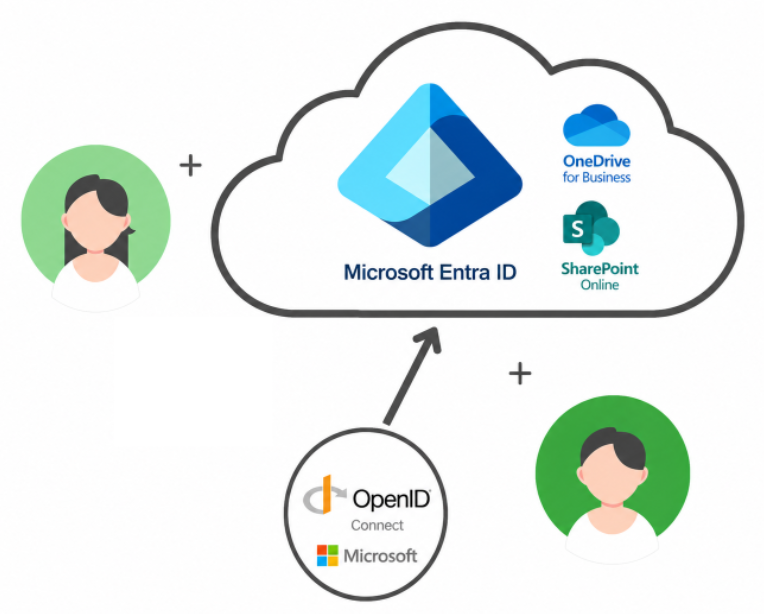
We have recently introduced native Microsoft Entra ID integration for Dispatcher Stratus and Dispatcher ScanTrip Cloud using OpenID Connect, also known as OIDC. Users can securely authenticate at the MFP panel and web portal using their organization's existing Microsoft credentials.
With Auto-Provisioning enabled, users can be created automatically in the tenant the first time they log in, eliminating the need for administrators to manually invite or configure each user ahead of time. The integration also supports Single Sign-On for OneDrive for Business and SharePoint Online workflows, reducing login prompts and simplifying scan-to-cloud experiences for large enterprise deployments.
Key Benefits
Auto-Provisioning
When enabled, users are created automatically in the tenant the first time they log in with Microsoft Entra ID. This saves administrators from manually inviting or configuring each user ahead of time, which is especially valuable for large organizations with frequent onboarding or many shared MFP users. Because provisioning happens dynamically at login, access is faster, more reliable, and tied directly to the user's verified Microsoft identity, helping reduce setup errors while improving security.
Single Sign-On for OneDrive and SharePoint
Users can authenticate once and access OneDrive for Business and SharePoint Online scan workflows without repeated login prompts.
Dynamic OneDrive Delivery
Scans can be delivered to the authenticated user's OneDrive without requiring administrators to preconfigure individual OneDrive accounts. Folders can be created automatically when needed.
Card and PIN Login Support
The MFP app can support PIN or card-based access, giving users a fast way to access scan workflows without requiring a full device lockdown.
Enterprise-Scale Administration
Designed for large deployments, this integration helps reduce tenant setup, ongoing user management, and support overhead.
How It Works
Administrators connect Stratus or ScanTrip Cloud to Microsoft Entra ID using OpenID Connect. Once configured, users can authenticate with their Microsoft credentials at the web portal or MFP panel.
When a scan workflow sends files to OneDrive for Business or SharePoint Online, Stratus or ScanTrip Cloud uses the authenticated user's identity to complete the action. This allows documents to be routed to the correct Microsoft 365 destination without requiring users to sign in again during the workflow.
Why It Matters
For organizations already using Microsoft Entra ID, this integration makes Stratus and ScanTrip Cloud easier to deploy and easier to manage. Admins can reduce manual user setup, while users get a smoother experience when accessing the web portal, MFP panel, and scan-to-cloud workflows.
This is especially valuable for enterprise environments with many users, shared MFPs, and Microsoft 365 destinations that need secure access without unnecessary login friction.
Get Started Today
Microsoft OpenID integration is now available for Dispatcher Stratus and ScanTrip Cloud. Contact your account representative to learn how this feature can simplify authentication, reduce user setup, and improve scanning to OneDrive and SharePoint Online across organizations.
 Previous Article