Site Help
The SEC Product Catalog provides you with one place to Download and Register all products offered by the Solutions Engineering Center.
Below is information to assist you with navigating through the SEC Product Catalog. If at any time you need more information, please go to the Assistance page.
Attention: You must have created a profile and be logged in to the site in order to download, purchase or register any product.
Click on the "Logon" button in the upper-right corner of any page to log on or create your profile.
Table of Contents
Downloads
To download any SEC software product, click on the "Products" button in the menu bar.

This will bring you to the Product Catalog. Locate the specific product or product type you are looking for.
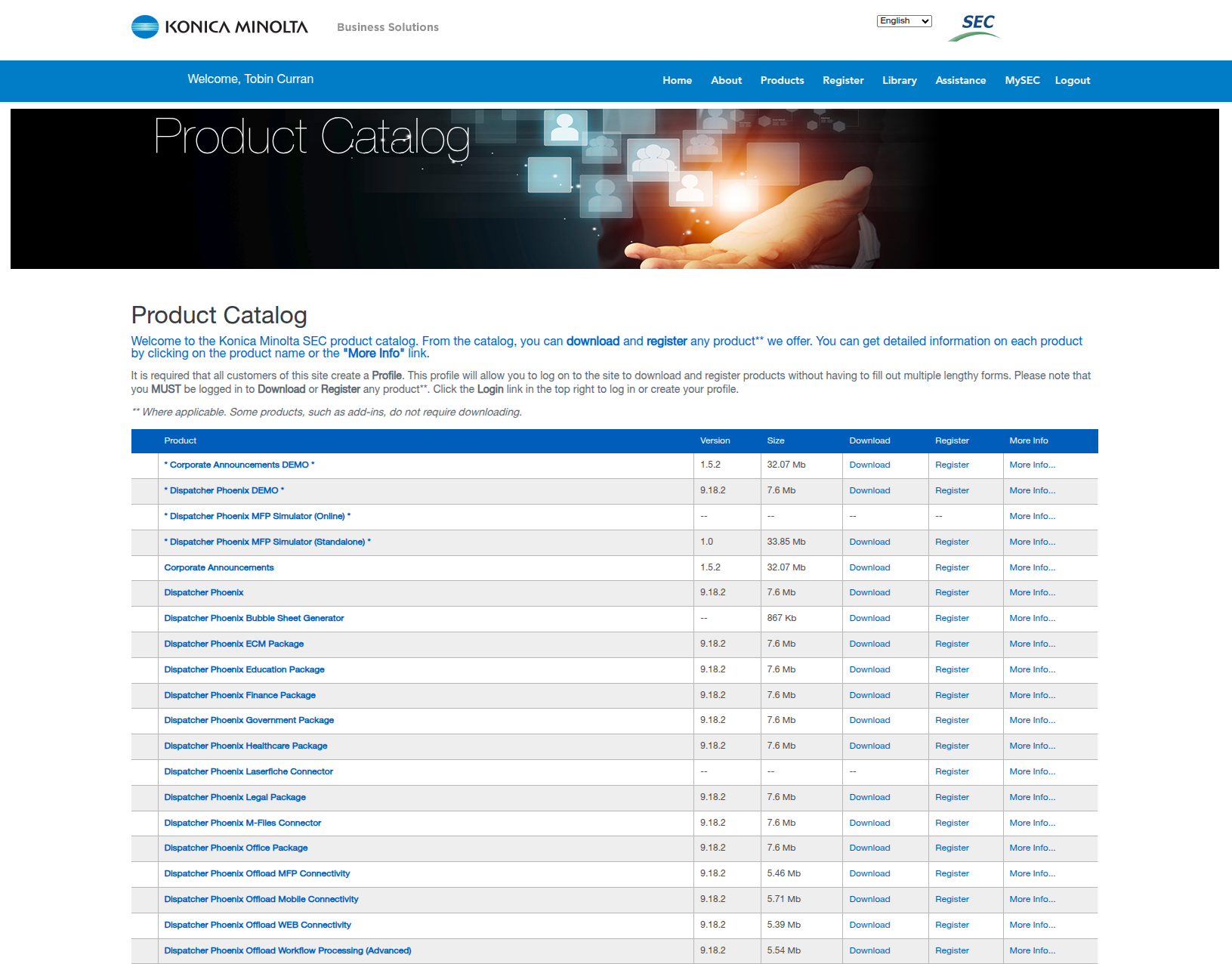
Once you have found the product you are looking for, follow to the right to find the Download link. Click this link to start downloading the application file.

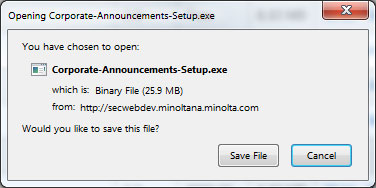
When the "File Download" dialog box appears, Save the file to your computer. This will allow you to run the installation of the software at any time.
Once you have downloaded your new software, you need to purchase a license (unless it is a free application - refer to the catalog page for all prices).
Alternate Method:
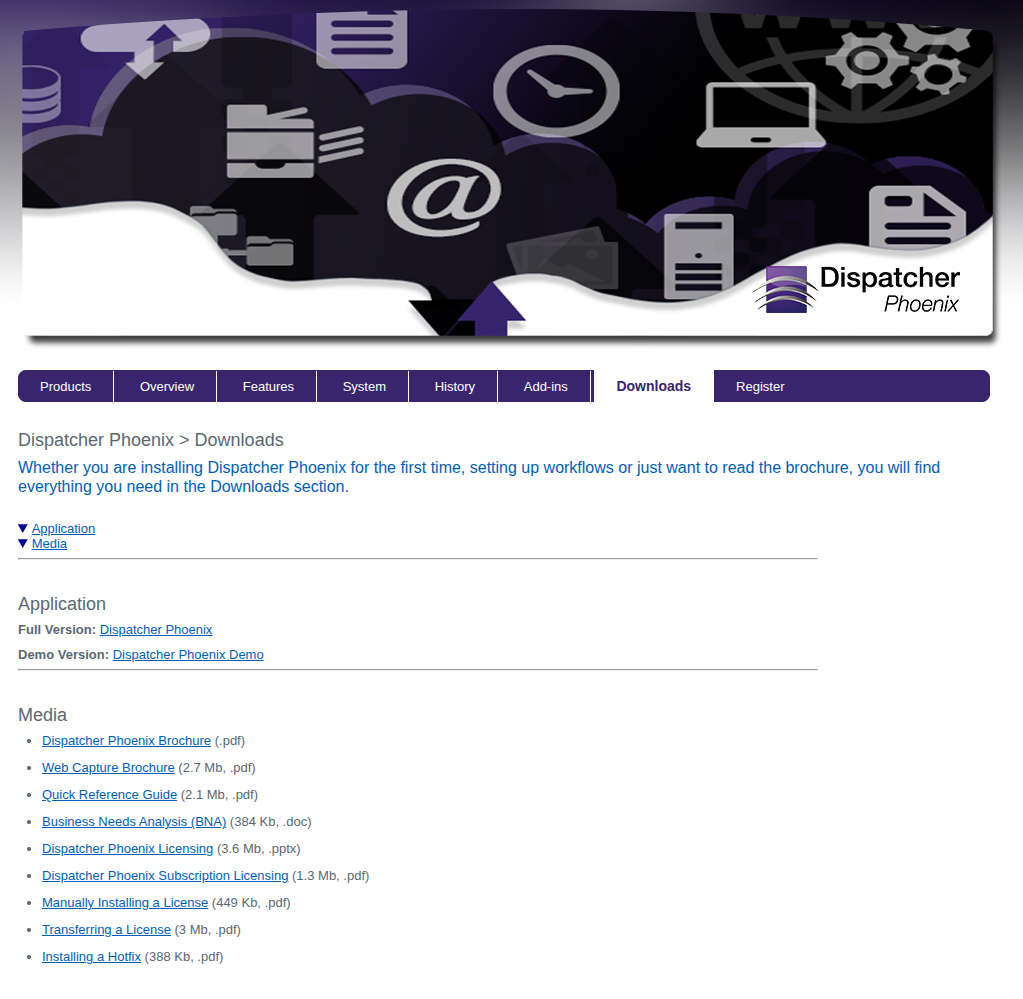
Alternately, you can download software from any individual Product Page. As long as you are logged in, simply click the Downloads link to access the page where the application and any supporting materials may be downloaded.
Register
There are three ways to go about registering software on the SEC site:
- Directly from the software: Some applications allow you to register directly from the software. This method is preferred if available.
- From the menu bar: Click the Register button on the menu bar near the top of the page.
- From the Product Catalog: Register from the Product Catalog by clicking the "Register" link next to the product you wish to register.
Here, we will look at using the Product page.
To register any product on the SEC website , click on the "Products" button in the menu bar.
This will bring you to the Product Catalog. Locate the specific product or product type you are looking for.
Once you have found the product you are looking for, follow to the right to find the Register link.

Clicking the Register link takes you to the Registration page. If the product is free, you will not see a Purchase Code field. Note that this is not the case if you clicked on the "Register" link in the upper menu bar, since it cannot tell what product you are registering.
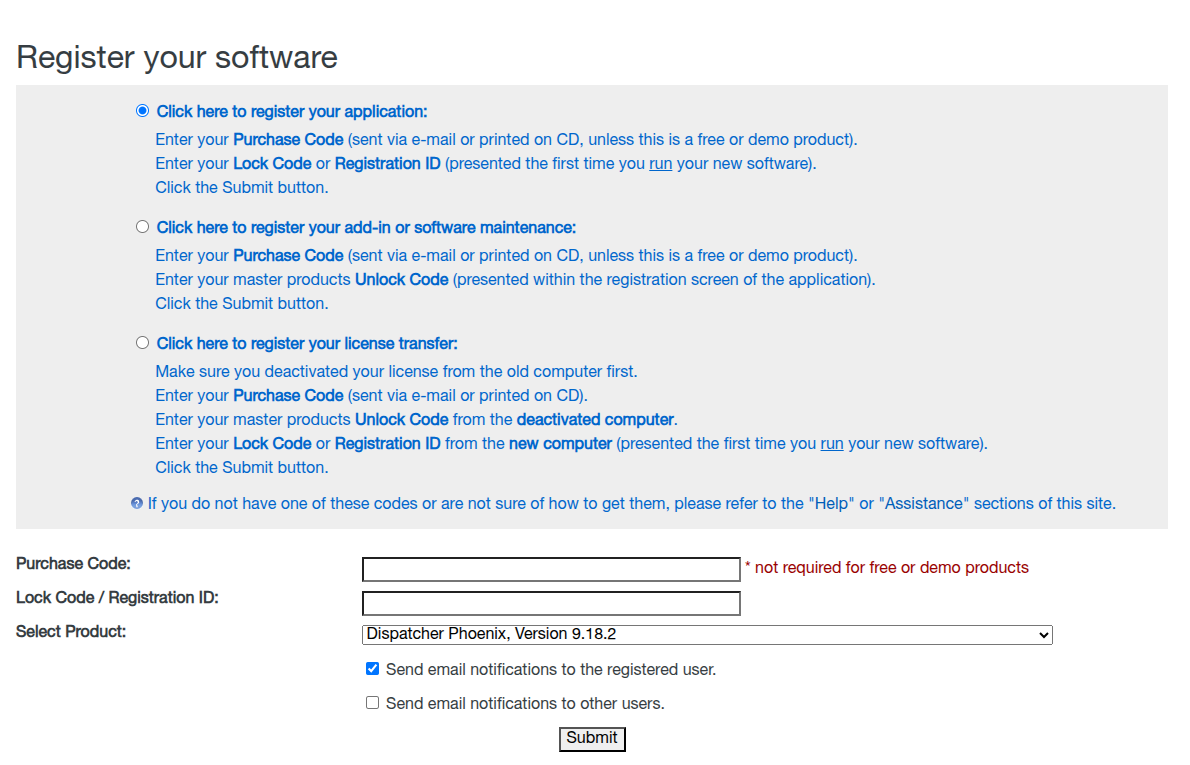
Enter the Purchase Code that you received in your Purchase Receipt e-mail. Then, enter the Lock Code that is presented the first time you run your application. Click the "Submit" button to process your codes and receive your Unlock Code.
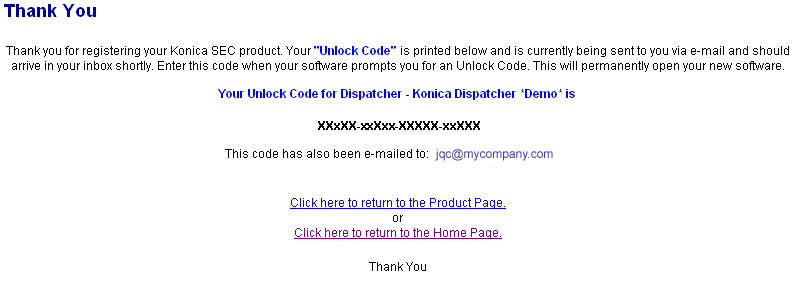
The results screen displays your Unlock Code to enter into your application to permanently open it for use. Additionally, this code will be sent to you via e-mail for your records.
If you are registering an application that uses a License File, you will be able to download that file from this page.